Soccer Ball Tutorial
Editorial
Computer Vision technologies lately are used in a lot of sports apps. That's because the camera on your phone is much cheaper than expensive sensors that you can attach to different parts of your body or sports equipment.
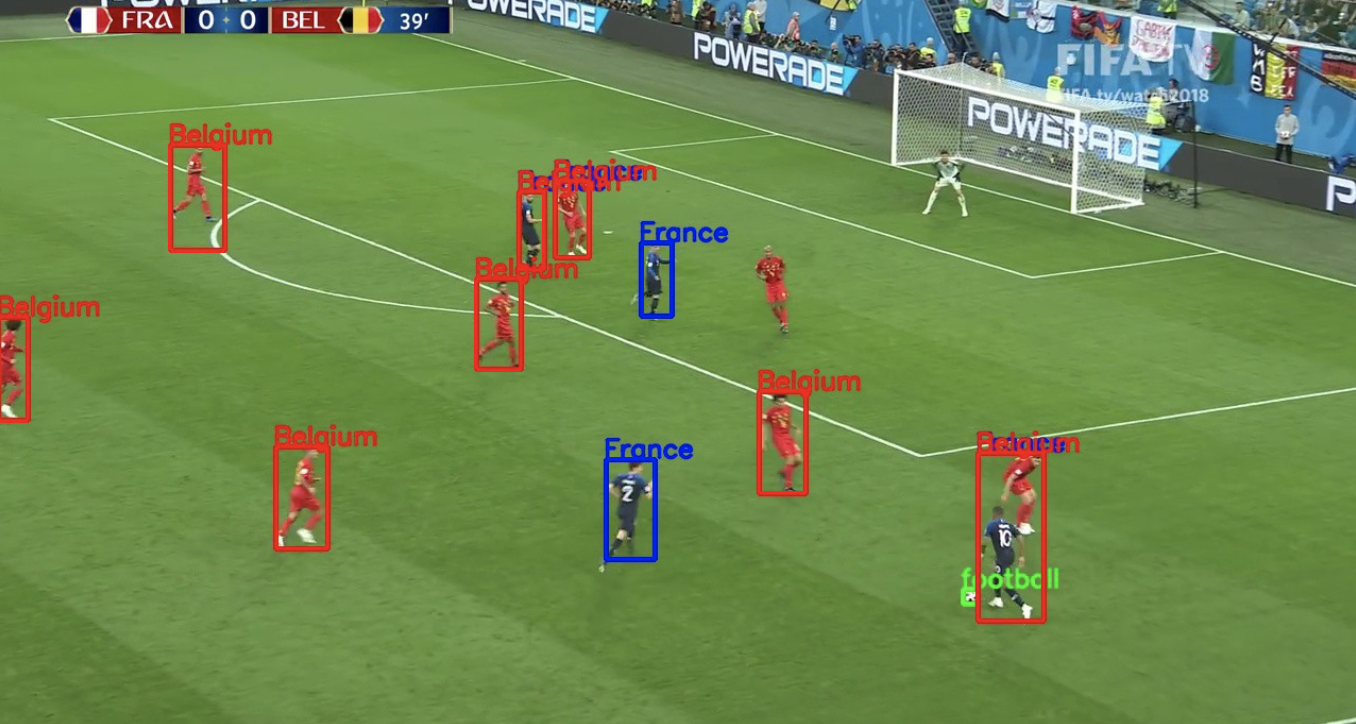
Modern sports apps can detect your current asana in yoga, or release angle in basketball, all of this with quite good precision and stability.
Overview
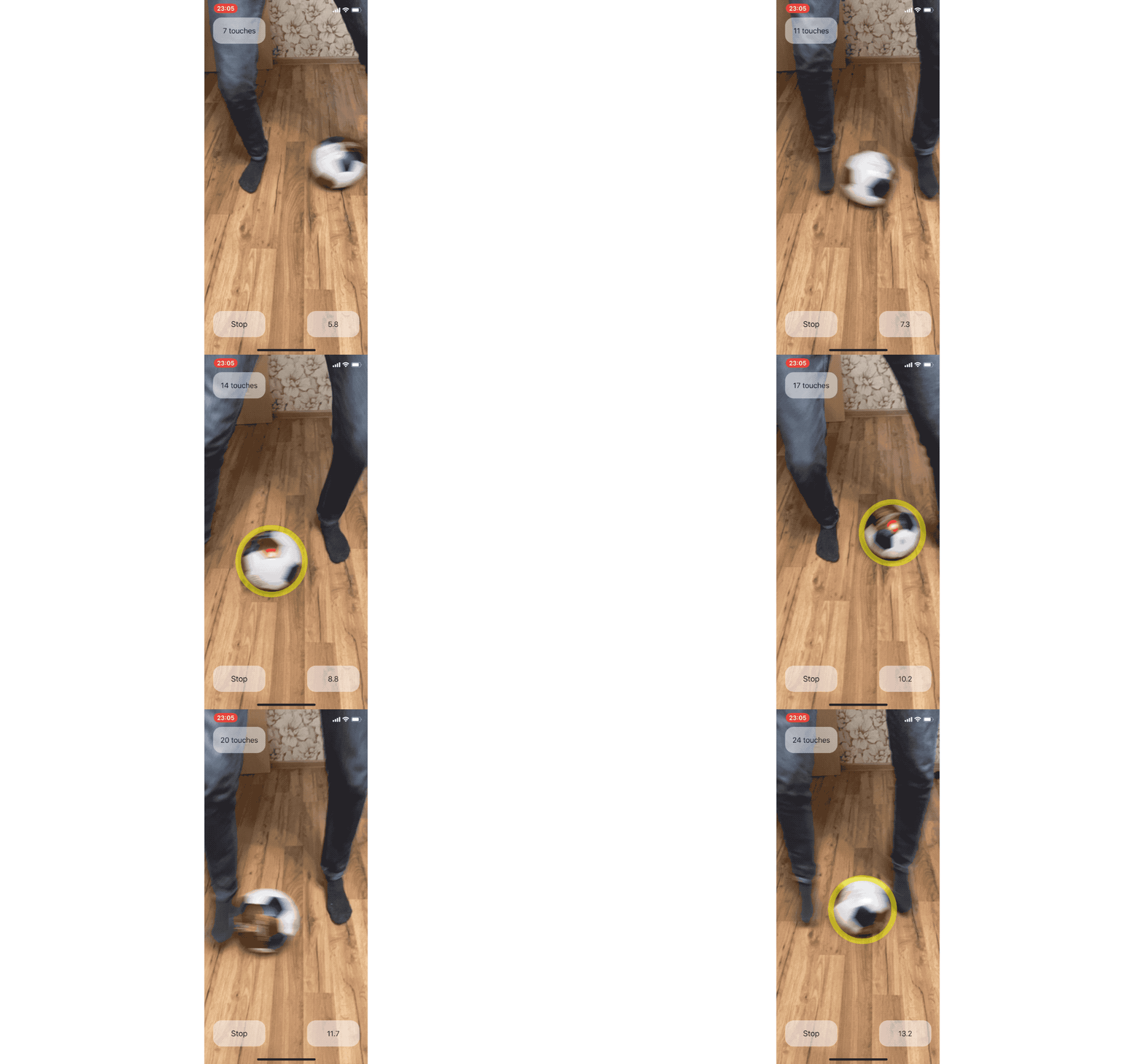
In this tutorial, we will train an Object Detection model that will detect a soccer ball. This model will predict the position and size of our ball. Then we will integrate this model into an iOS application, process data from it, and retrieve data to count the number of touches of the ball. Assuming that ball touch during dribbling change velocity vector, we will compare horizontal positions of the ball and will count touches number if horizontal velocity direction will change.
Creating Dataset
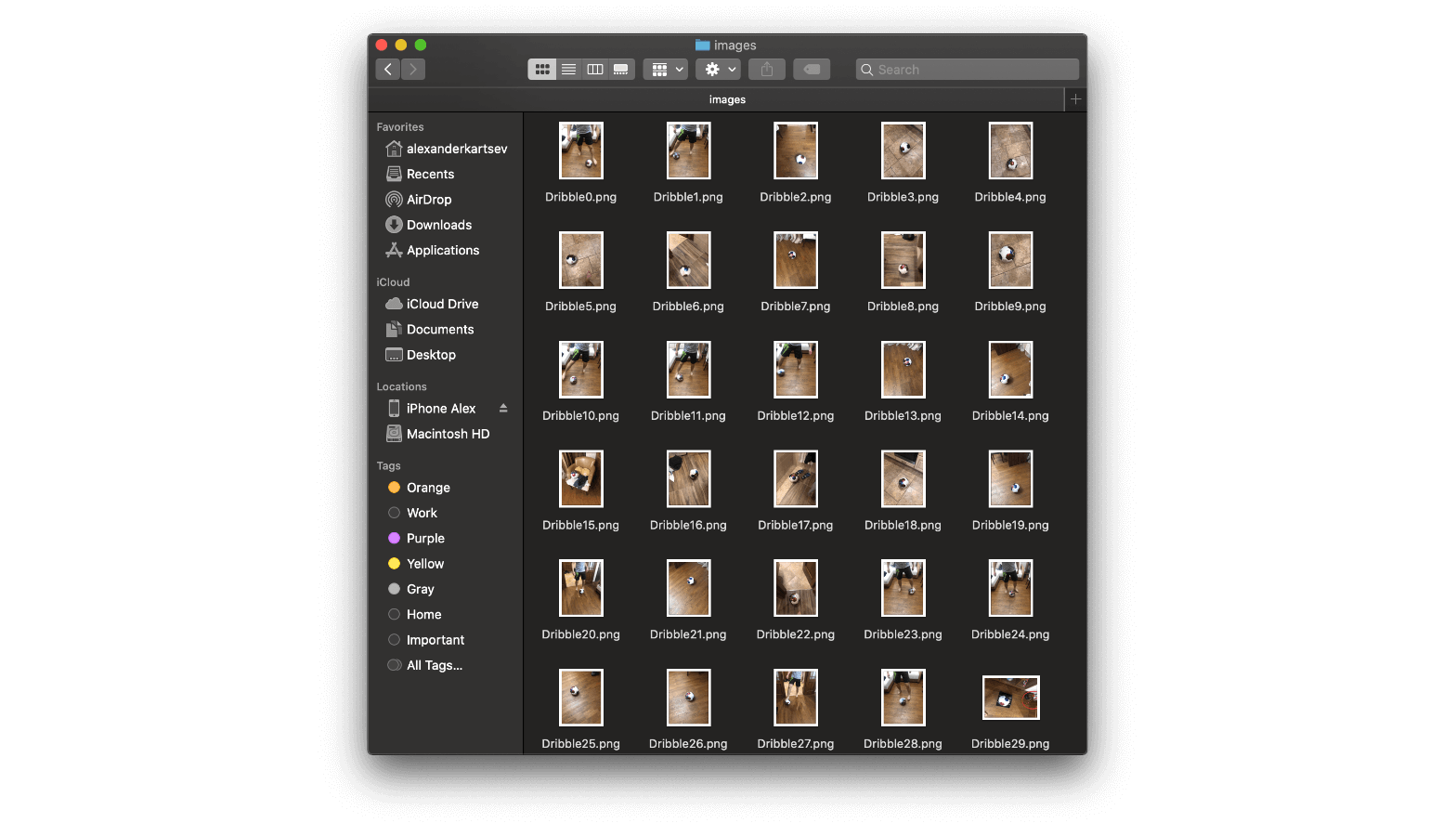
For this tutorial, I have shot around 180 images of a soccer ball.
So, let's start a new project. I have selected the Turicreate framework and enter the project name.

Drag and drop images into the new project. Create a new "soccer ball" annotation title, and start to label them.
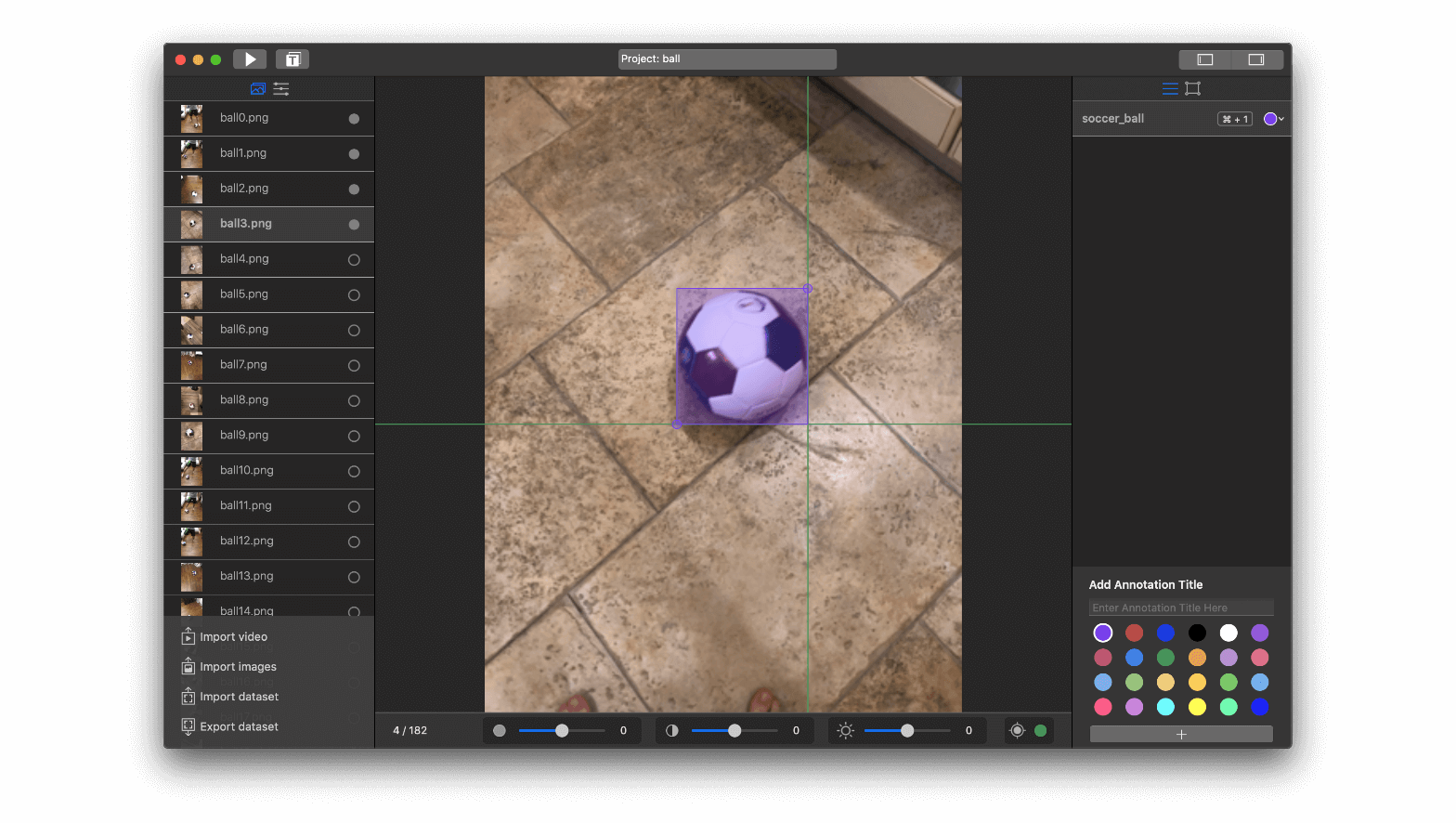
By the way, you can import my dataset into your project. Just go to the Dataset Store and select Soccer Ball dataset.
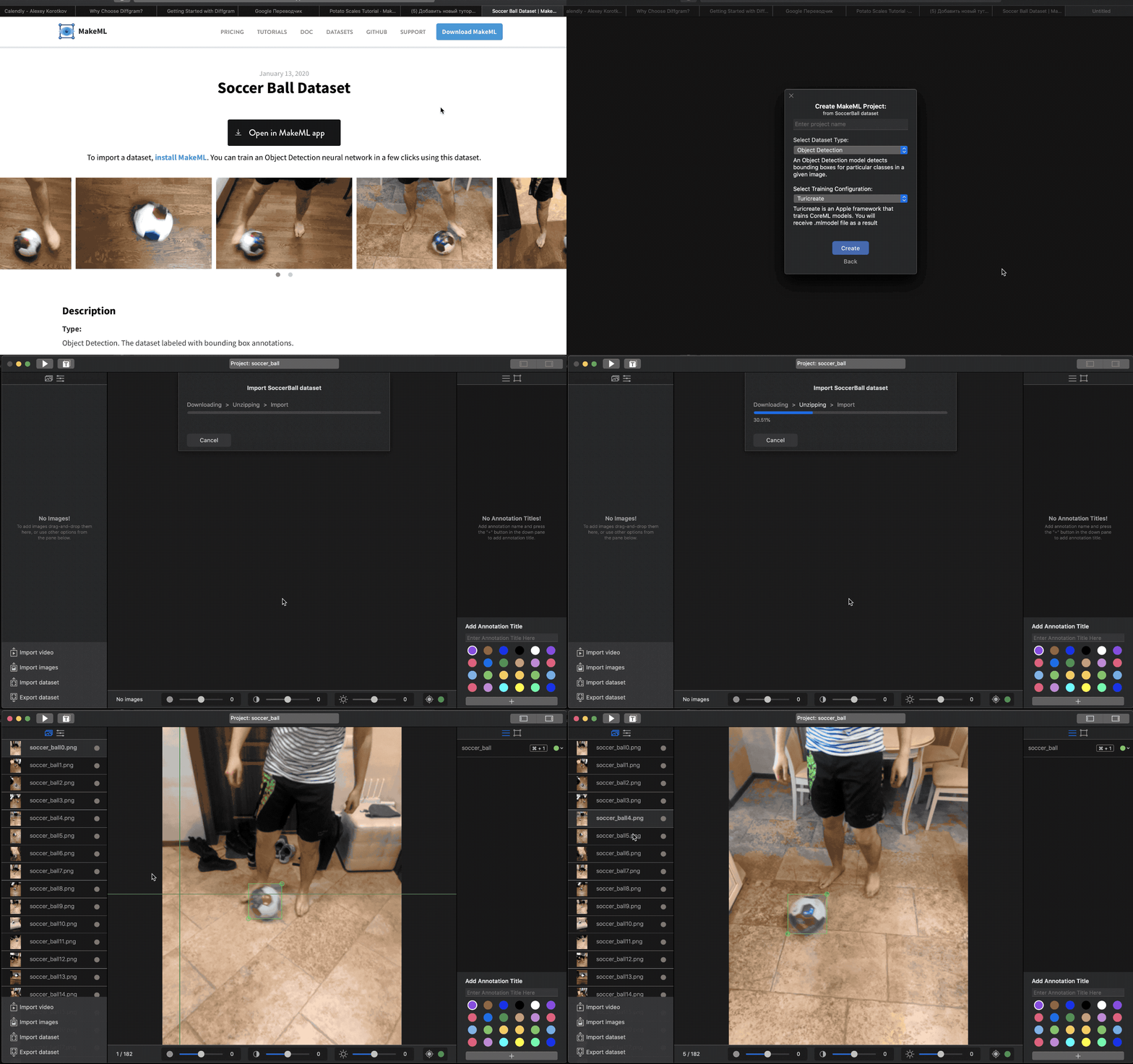
So, it looks like we are ready to start training.
Training
Now we have 182 annotated images for training. So, we need to press the Start button and select augmentation types.
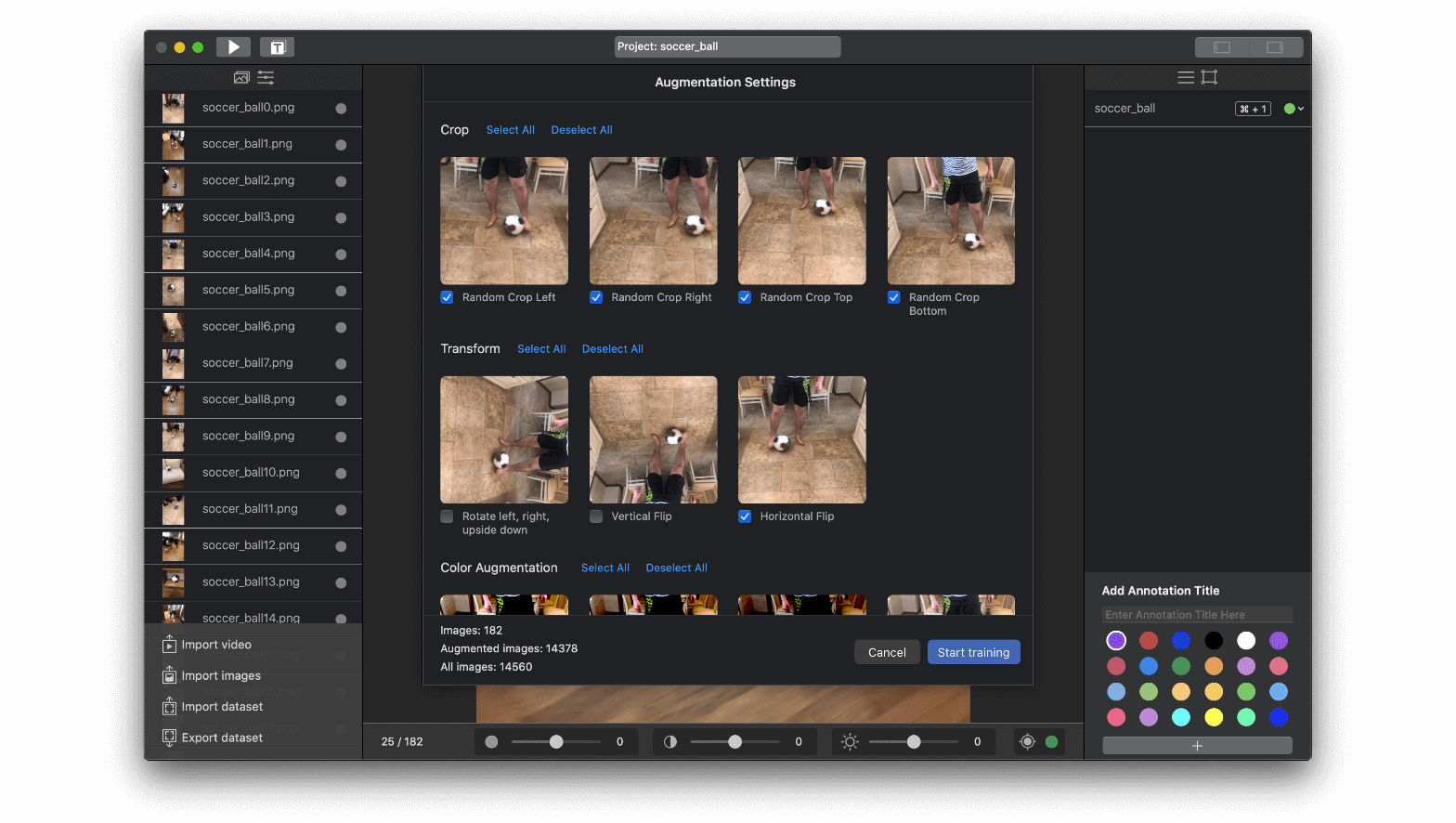
Integration of model with iOS app
We have prepared a Dribble App Project project on Github.
Right now, we will explain step-by-step how we make counting the number of touches functionality. First of all, you need to open "ObjectDetectionViewController.swift" file, which is a subclass of "ViewController.swift." We have made a subclass to separate logic connected with the processing of the ML model.
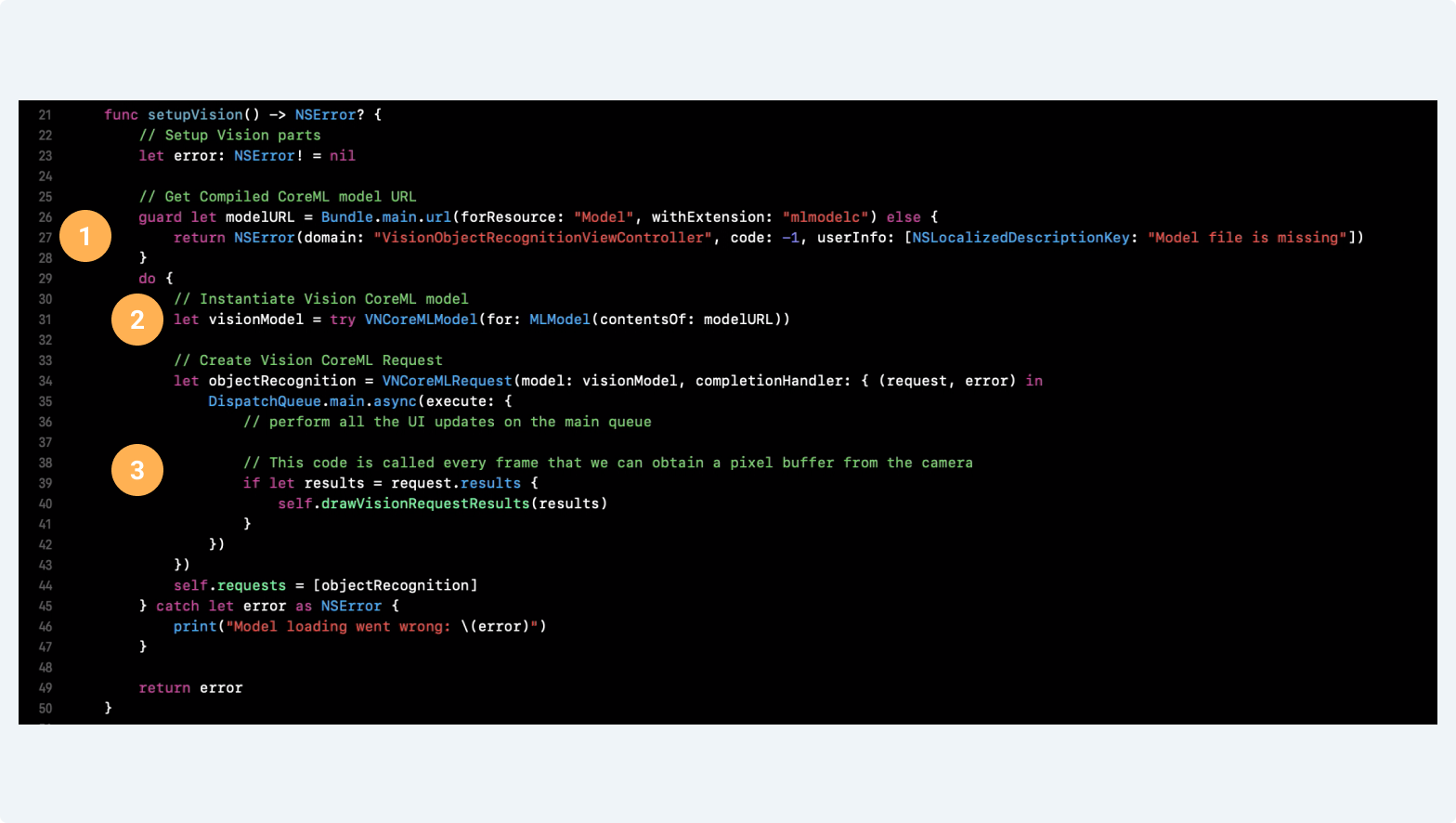
- Here we get a path to our CoreML model.
- We instantiate Vision CoreML Model that late we'll be able to run using the Vision iOS framework.
- We create Vision CoreML Request and save it to the property of ObjectDetectionViewController. This request will be called on every frame that we got from the camera.
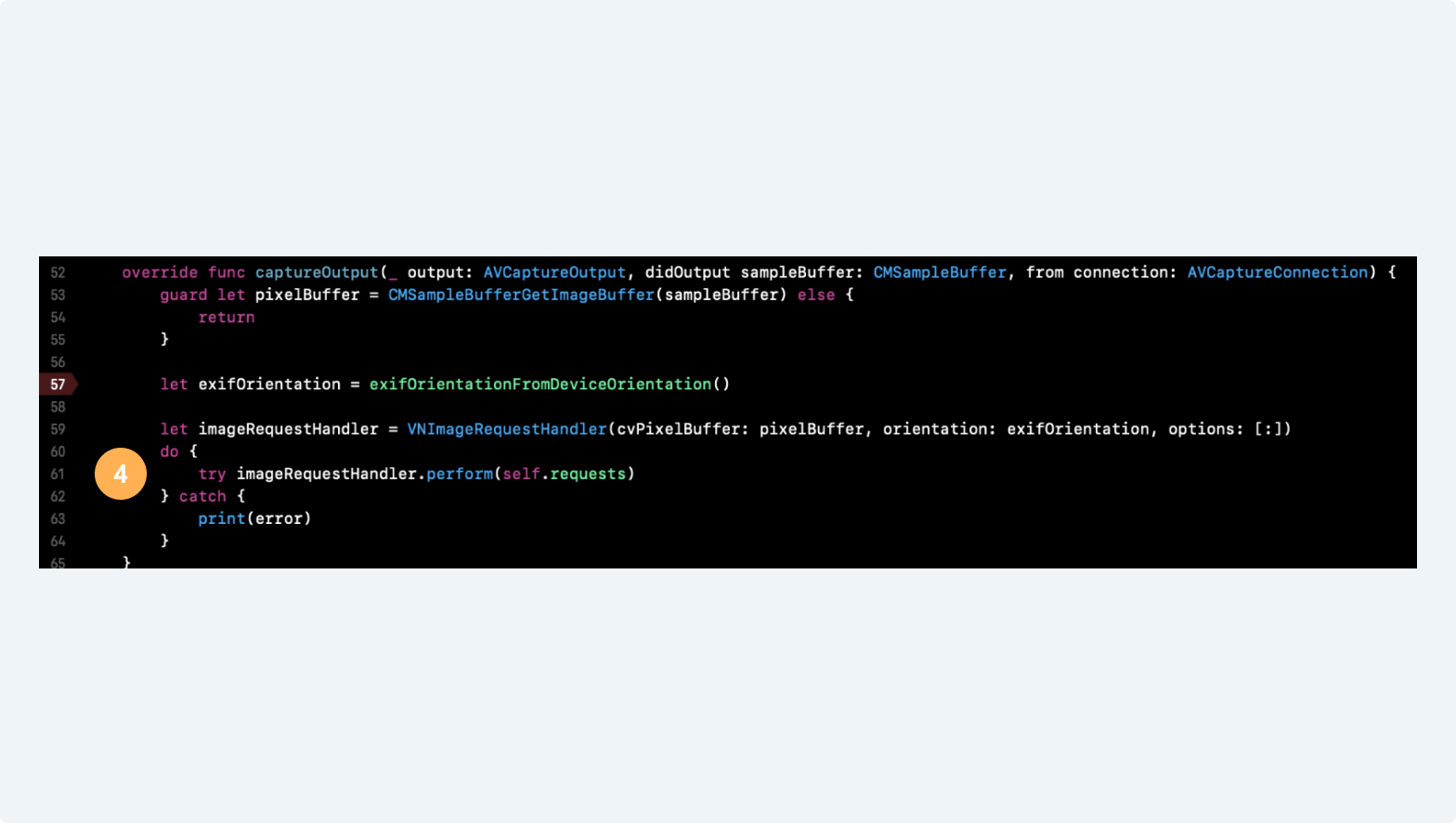
- In the captureOutput delegate method, we create Vision ImageRequestHandler, to which we pass pixelBuffer from the camera and Vision CoreML Request that we store as a property, that's how our model runs on every frame.
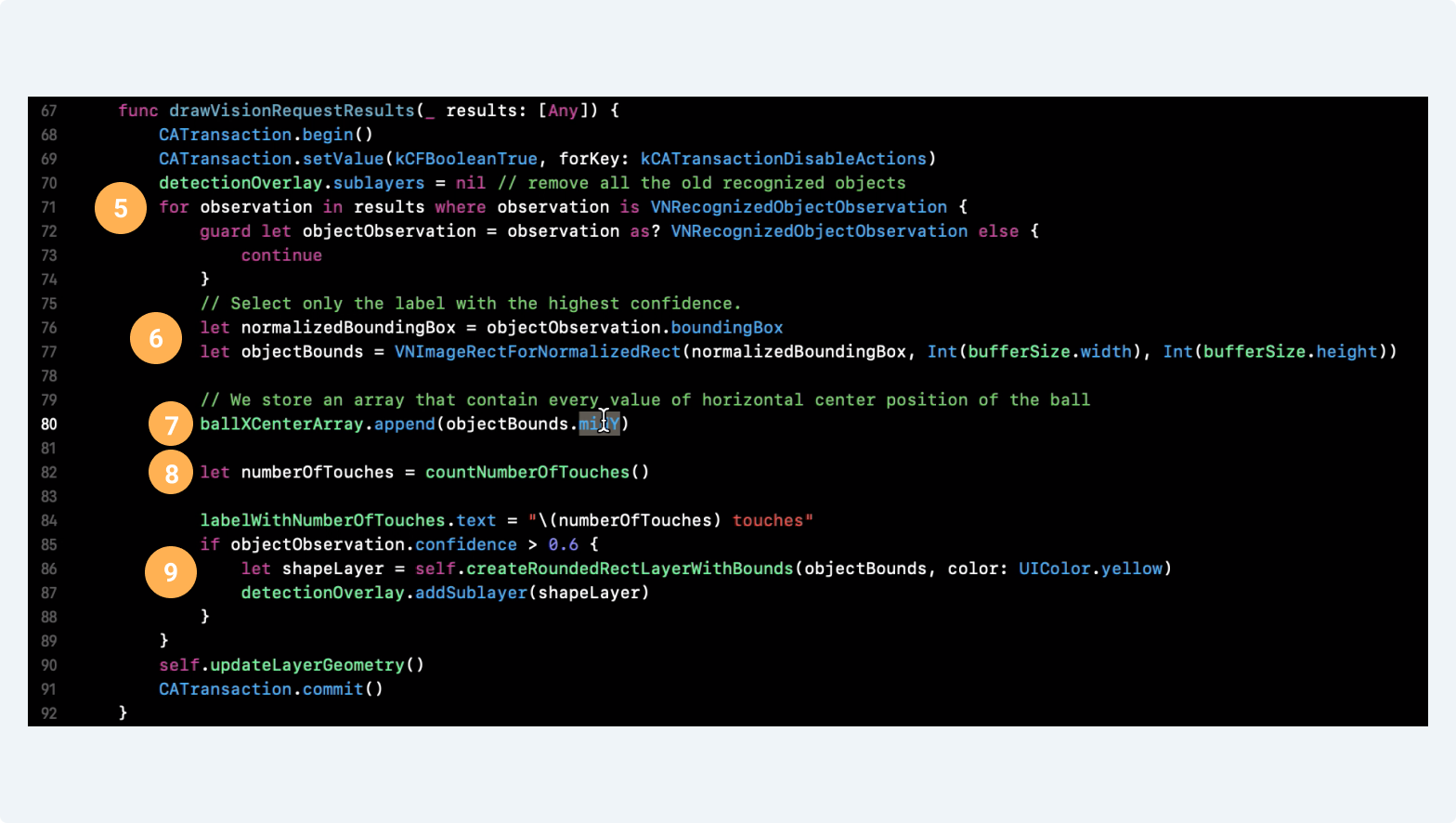
In drawVisionRequestResults we process results we got from our Vision CoreML Request. Because we have an object detection model, we expect our results to be VNRecognizedObjectObservations. We iterate through them to get the position of our ball.
A model gives us normalized bounds (values between 0 and 1), and here we get actual pixel bounds of the Object Observation
We store an array of all center points of our ball because we will need to understand what is the direction of movement of the ball. Later we'll process these values to get the number of touches.
We call a method that counts a number of touches and return an Int value.
In this section, we update UI. We update the number of toches label and call a method that draws overlay for the ball if the confidence of the model that there is a ball more than 60%.
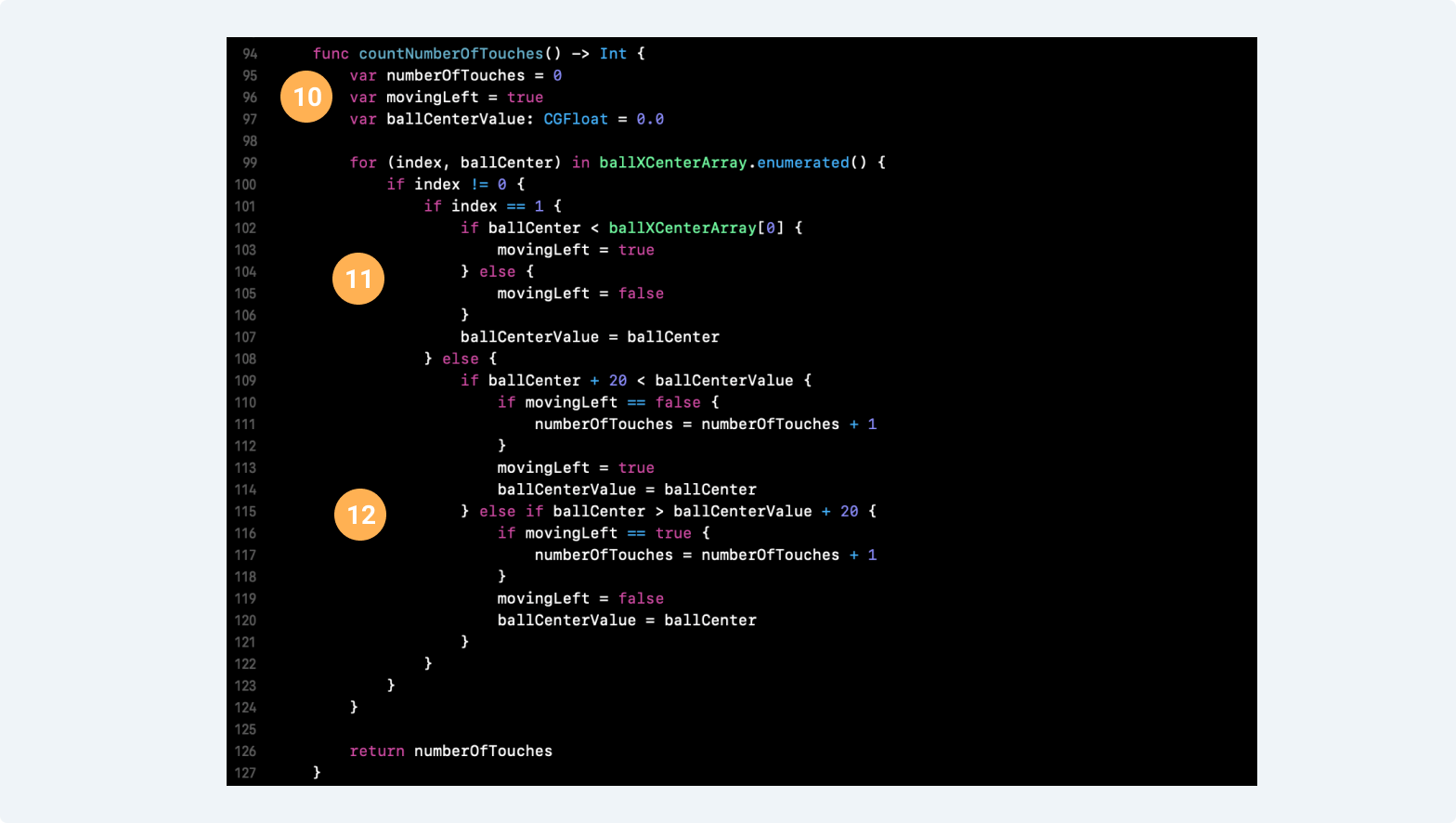
Here we set default values that we'll use further.
We set the initial direction of the ball based on the first 2 points if second point value > first point value than it means that our ball is moving to the right and vice versa.
We set a threshold of 20 pixels, and if our ball was moving right and the direction changes, then we count it as a touch.
So, we have successfully integrated our model into an app, and right now can start to train our dribbling!
Feel free to ask any questions in our chat.